
Practical guide
POS-less payments for restaurants
A practical guide to payment options that help restaurants avoid being locked into bulky POS hardware.
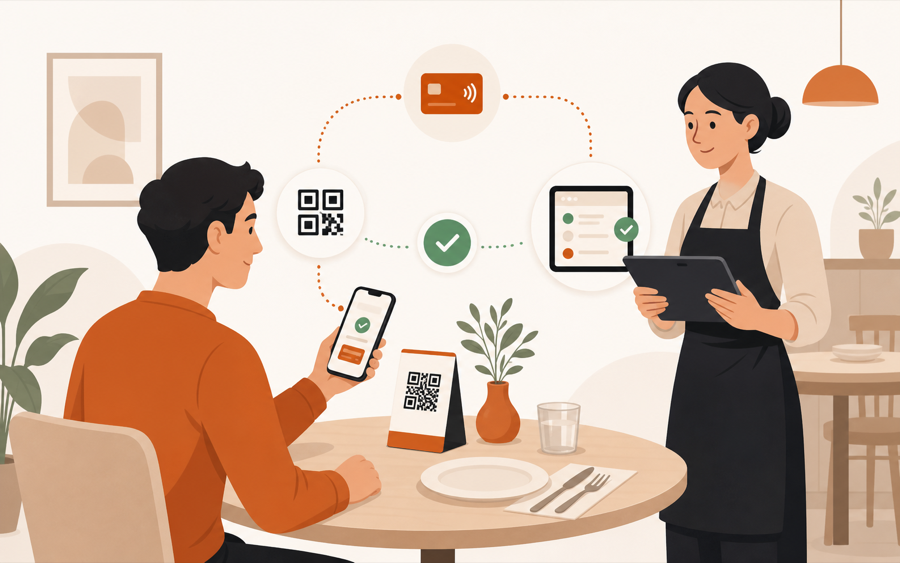
POS-less does not mean payment-less
POS-less payment means the restaurant is not forced to build every order and checkout flow around one physical POS terminal.
It can still use card readers, cash, payment links, QR payment, or provider checkout. The difference is that payment becomes one part of the service flow, not the system that controls every guest action.
For small restaurants, cafes, and bars, this matters because the first problem is often not “which POS should we buy?” It is:
Can guests order, ask for help, and pay without creating more work for staff?
Why restaurants look for POS-less payment
Traditional POS setups can be useful, but they also bring weight.
Common friction:
- upfront hardware decisions
- device limits
- counter-only checkout flow
- staff training before the service model is proven
- payment setup that is separate from table context
- guest requests that still need manual follow-up
A POS-less approach is lighter. Start with the table workflow, then connect payment where it helps.
That is especially useful when the restaurant wants to test QR ordering before committing to a bigger operations stack.
QR payment is only useful when context stays clear
QR payment sounds simple: scan, pay, done.
In a restaurant, it needs more care.
Staff still needs to know:
- which table paid
- which order or bill the payment belongs to
- whether the order was approved
- whether the table is ready to close
- whether another guest still has unpaid items
Payment without table context can create reconciliation work. The guest may feel finished, while staff still has to match the payment to the right table or order.
That is why QR payment should sit inside the service workflow, not beside it.
Good POS-less payment options
The best option depends on how the restaurant works today.
| Restaurant need | Payment option |
|---|---|
| Staff still closes every table | cash or existing card reader |
| Guests need a quick way to pay | payment link or QR payment |
| Table orders need approval first | staff-controlled QR ordering before payment |
| Split payment matters | provider checkout with item or bill scope |
| Kitchen work must stay clean | payment after staff review, not before |
The point is not to remove every device. The point is to avoid buying the wrong device before the service model is clear.
Staff control comes before checkout
Restaurants should be careful with fully automatic QR payment flows.
If a guest can order and pay before staff sees the request, the kitchen may receive work that should have been checked first. That is risky when items are unavailable, timing matters, or the table already asked for changes.
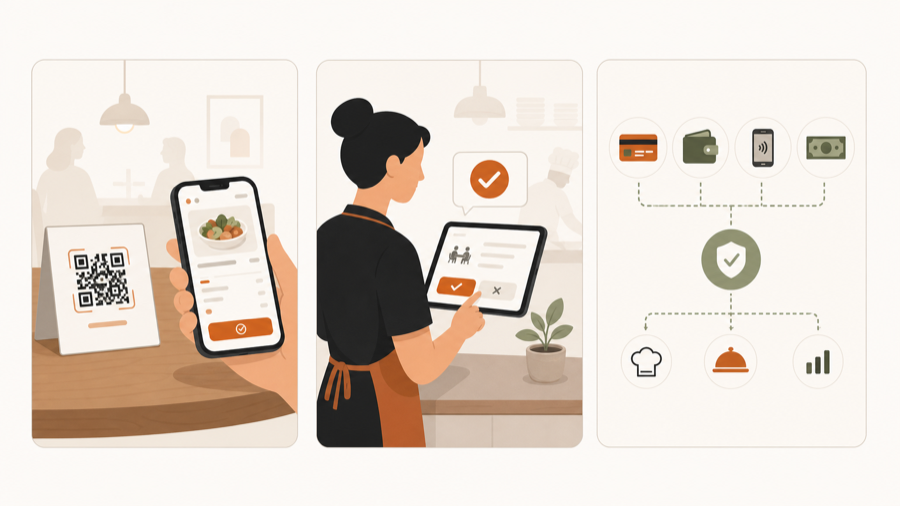
A better flow is:
- Guest scans the table QR code.
- Guest chooses items or requests the bill.
- Staff reviews the action.
- Approved work moves forward.
- Payment happens through the right method for that table.
This keeps speed without turning QR into uncontrolled automation.
For the ordering side, read QR menu vs QR ordering system.
When POS-less is enough
POS-less can be enough when the restaurant mainly needs:
- table-aware QR ordering
- staff review
- simple checkout choices
- bill requests from the table
- flexible payment methods
- less dependence on fixed counter hardware
This fits many small restaurants that do not need a large POS migration on day one.
It also fits bars and cafes that want faster table action without changing every back-office process.
When a full POS still makes sense
A full POS may still be the right choice when the restaurant needs:
- deep inventory accounting
- complex tax setups
- multi-location finance reporting
- loyalty and gift-card programs
- tightly integrated card terminals
- existing staff already trained on that POS
POS-less is not a religion. It is a way to avoid overbuying before the restaurant knows which service flow works.
Where MenuSuite fits
MenuSuite is built around the service flow first.
Guests can scan a table QR code, browse, request help, ask for the bill, or place an order. Staff keeps control before work reaches the kitchen.
Payment should follow that same idea: flexible options, table context, and provider-backed verification when online payment is enabled. If a venue is not ready for online payment yet, it can still use QR for menu, ordering, staff review, and bill requests before adding provider checkout.
If guests should pay from the table or split the bill from their phones, read Pay at the table with mobile payments. If you are still comparing menu tools, read QR menu pricing guide. If you want the full workflow view, see Restaurant operations software.
Further reading
- Square gives a practical overview of table payment in Tableside ordering and pay at table.
- For customer expectations around restaurant technology, see Square's Future of Customers 2024.