
Buyer guide
QR menu pricing guide
A practical guide to QR menu pricing, free plans, paid tools, and when a restaurant needs more than a menu link.

Start with what the QR code should do
QR menu pricing only makes sense after one question:
What should happen after the guest scans?
If the answer is “read the menu,” pricing can stay simple. If the answer is “order from the table, request service, and send approved work to the kitchen,” you are comparing a workflow tool, not only a menu page.
That difference explains why some QR menu tools are free and others charge monthly.
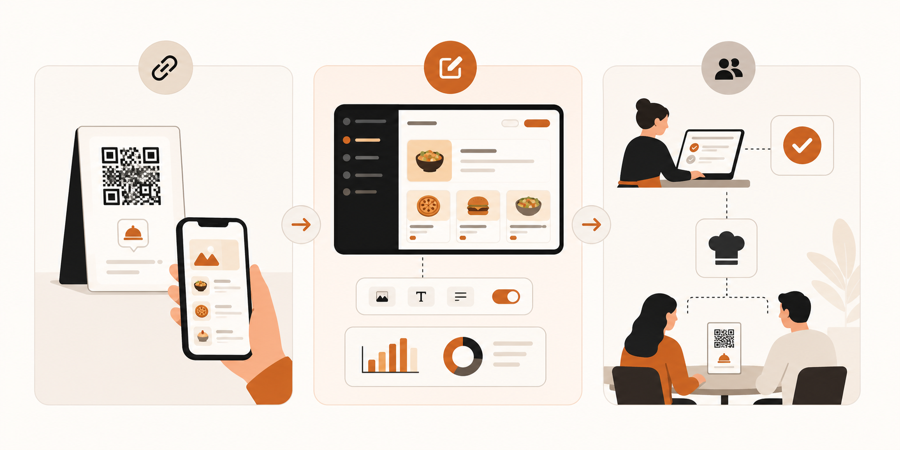
Free QR menu tools
Free QR menu tools usually work best for simple publishing.
They may be enough when:
- the restaurant only needs a menu link
- staff still takes every order manually
- menu changes are rare
- a PDF menu is acceptable
- table context is not important
The hidden cost is time. If every price change means editing files, replacing links, or explaining confusing menus to guests, the free tool still costs staff attention.
If you are using a PDF behind a QR code, read QR menu vs PDF menu.
Paid QR menu software
Paid QR menu software is usually paying for easier menu management.
Useful paid features can include:
- live menu updates
- categories and item details
- photos and allergen notes
- sold-out item control
- reusable QR codes
- better mobile layout
- basic analytics
This is often worth it when the menu changes often or when the restaurant wants guests to browse without friction.
For the practical upside, read QR menu benefits for restaurants.
QR ordering system pricing
QR ordering systems cost more because they do more.
They are not only publishing a menu. They connect guest actions to staff work.
That can include:
- table-specific QR codes
- guest orders from the table
- waiter call or bill request
- staff approval before kitchen handoff
- kitchen or counter workflow
- order status and service visibility
If guests can act from the table, the tool needs stronger controls. Otherwise the restaurant can create noise instead of saving time.
For that decision, read QR menu vs QR ordering system.
What restaurants should compare
Do not compare QR menu pricing only by monthly fee.
Compare the work it removes:
| Restaurant need | Pricing signal |
|---|---|
| Publish a static menu | free or low-cost QR menu may be enough |
| Update items often | paid live menu software can save staff time |
| Show photos and item details | paid menu management may be useful |
| Let guests order from the table | QR ordering system, not only QR menu |
| Keep staff approval before kitchen work | staff-controlled ordering workflow |
| Connect service requests to tables | table-aware workflow pricing |
The right price depends on the operational job.
When free is the right choice
Free can be the right choice for a small restaurant that only wants guests to see a menu.
Choose free or low-cost if:
- you are testing QR for the first time
- paper menus remain the main menu
- staff takes all orders
- the menu rarely changes
- you do not need table context
Do not overbuy if the restaurant only needs publishing.
When paid is easier
Paid becomes easier when QR saves repeated work.
Choose paid when:
- menu updates happen weekly or daily
- guests need a cleaner mobile menu
- staff wants fewer questions about details
- old PDF menus cause mistakes
- QR codes need to keep working after menu changes
At that stage, pricing should be judged against saved staff time and fewer menu mistakes.
When ordering workflow matters more than menu price
If the restaurant wants guests to order, request help, or ask for the bill from the table, menu pricing is no longer the main question.
The better question is:
Can staff control what happens before it reaches the kitchen?
That is where a QR ordering workflow earns its price. The tool should help guests act faster while keeping the team in charge.
Where MenuSuite fits
MenuSuite is for restaurants that want QR to connect with real service.
Guests can scan, browse, request help, ask for the bill, or place an order. Staff still reviews work before kitchen handoff, so the QR flow does not bypass the team.
If you only need a menu definition, start with What is a QR menu?. If payment choice is part of the decision, read POS-less payments for restaurants. If your venue is drink-led, read QR menu for bars. If you are comparing tools now, see QR menu software or review MenuSuite pricing.
Further reading
- Square explains common QR use cases in QR code generator and QR code ideas.
- For restaurant technology investment context, see the National Restaurant Association's Where operators plan to invest in tech.