
Practical guide
Pay at the table with mobile payments
A practical guide to QR table payment, split bills, and letting guests pay from their phone without slowing staff down.
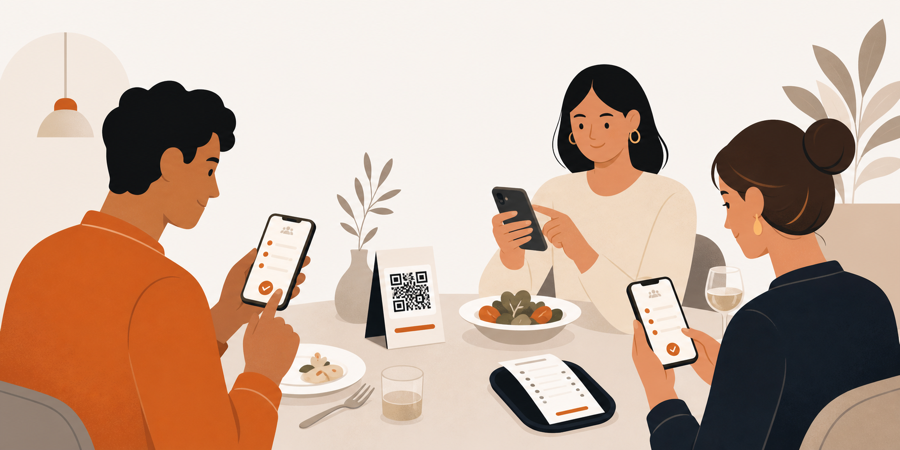
The slowest part is often the bill
Many restaurant visits slow down after the meal is finished.
Guests are ready to leave, but they still need to catch a waiter, ask for the bill, wait for a card terminal, decide who pays what, and sometimes wait again while the table is closed.
Pay-at-table mobile payment solves that last stretch.
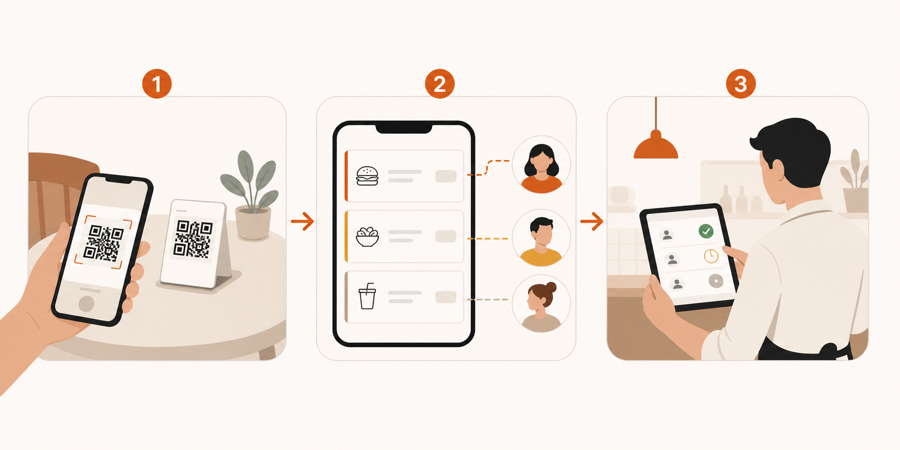
Guests scan the table QR code, review the bill, and pay from their own phone. Staff still keeps visibility, but checkout no longer depends on one terminal moving around the room.
What pay at the table means
Pay at the table does not mean every payment is automatic or staff-free.
It means guests can handle simple checkout actions themselves:
- view the current bill
- pay the whole table
- pay only selected items
- split equally
- pay a custom amount
- ask staff for help if something looks wrong
The restaurant still needs table context. Staff should know which table paid, what remains unpaid, and whether the table is ready to close.
Why guests like mobile payment
Guests usually do not want more technology at the table.
They want less waiting.
Mobile payment works when it removes friction:
- no waiting for a card terminal
- no queue at the counter
- no app download
- no awkward group calculation
- no guessing who ordered what
The best experience feels short: scan, check, pay, leave.
Split bills are the real use case
Splitting the bill is where table payment becomes more useful than a normal payment link.
A group may share starters, order different drinks, leave at different times, or use different payment methods. If staff has to untangle that manually, checkout becomes slow for everyone.
A better table payment flow can support:
| Guest need | Better table-payment option |
|---|---|
| One person pays everything | full bill payment |
| Each guest pays their own food | item-based payment |
| Friends split the same total | equal split |
| Someone leaves early | partial payment |
| Staff needs final control | paid status visible to staff |
Split payment should reduce confusion, not create a second accounting job.
Payment must stay connected to service
A QR payment page is not enough by itself.
Restaurant payment needs context:
- table number
- open order
- already-paid items
- unpaid items
- staff approval state
- final table close state
Without that context, the guest may think they are finished while staff still has to match a payment to the right table.
That is why payment should connect to the same table workflow as ordering, service requests, and bill requests.
Before payment, many restaurants only need a clear check request. Read Bill request from table QR. For the broader payment model, read POS-less payments for restaurants.
Staff still matters
Restaurants should not lose control at checkout.
Staff may still need to:
- remove an incorrect item
- approve a discount
- handle cash
- merge or split tables
- confirm that every guest has paid
- close the table after payment
Mobile payment should shorten waiting. It should not hide table state from the team.
That same control matters before the order reaches the kitchen. See QR ordering with staff approval.
Where this works best
Pay-at-table mobile payment is strongest when the venue has seated guests and checkout friction.
Good fits:
- cafes with table service
- bars with group tabs
- casual restaurants
- lunch venues with high turnover
- restaurants where terminals slow staff down
It is less useful when every guest already pays at the counter before receiving food.
The simple rule
If guests only need to read a menu, a QR menu is enough.
If guests order, request the bill, split payment, and close the table from their phone, the restaurant needs a connected table workflow.
The goal is not more self-service. The goal is faster checkout while staff, table context, and service control stay connected.
If you are comparing menu and workflow tools, read QR menu vs QR ordering system. For venue examples, see QR menu for bars and QR menu for cafes.
Further reading
- Square explains the pay-at-table pattern in Tableside ordering and pay at table.
- For customer expectations around restaurant technology, see Square's Future of Customers 2024.