
Practical guide
Kitchen display system for small restaurants
A practical guide to kitchen display systems for small restaurants that need clear approved orders, table context, and simple kitchen handoff.
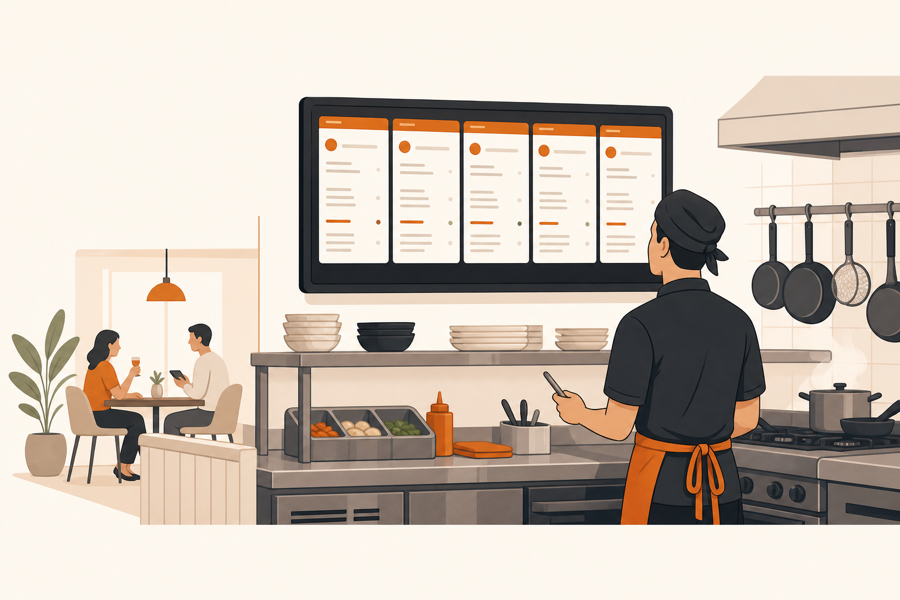
A kitchen screen should make service calmer
A kitchen display system is not just a tablet in the kitchen. It is the place where approved work becomes visible to the people preparing food.
For a small restaurant, the best kitchen screen is simple. It shows what the kitchen needs now, keeps the table attached to the order, and helps staff see when food is being prepared or ready.
If the screen receives every raw guest tap without review, the kitchen can become noisier than before. If it receives only clean, approved work, it can replace scattered paper tickets and reduce back-and-forth questions.
What small restaurants need from a KDS
Small teams do not need a complicated command center on day one. They need a clear handoff.
A practical kitchen display should show:
- the table or service location
- the ordered items
- important notes or modifiers
- when the order was approved
- whether the ticket is new, in progress, or ready
- enough context for staff to serve the right table
The goal is not to add another screen. The goal is to make the kitchen and floor team look at the same work.
Why approval still matters
QR ordering can move quickly, but the kitchen should not receive every request automatically.
Staff may need to check timing, unavailable items, guest notes, or whether a table already spoke to a waiter. That review step keeps hospitality in the room while still removing manual relays.
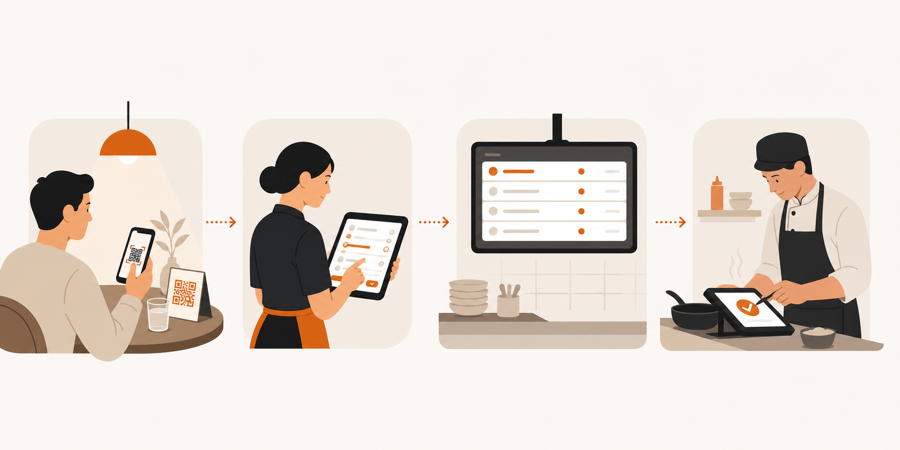
The clean flow is:
| Step | What should happen |
|---|---|
| Guest sends an order from the table | The request keeps table context |
| Staff reviews the request | The team approves, adjusts, or handles it manually |
| Kitchen receives approved work | The KDS shows a clear ticket |
| Kitchen marks progress | Staff can see what is being prepared or ready |
| Food reaches the table | The handoff stays connected to service |
For the table-side part of this flow, start with Table ordering system. For the review step, read QR ordering with staff approval.
KDS vs full POS
A kitchen display system does not have to mean a full POS migration. Many small restaurants first need a better way to move table work to the kitchen.
| Restaurant need | Better starting point |
|---|---|
| Kitchen loses paper tickets | KDS with clear ticket status |
| Staff repeats orders manually | Table ordering with staff approval |
| Kitchen needs table context | Approved KDS handoff |
| Venue needs cashier, inventory, accounting, and payments in one stack | Full POS evaluation |
| Team wants to improve dine-in QR service first | Lightweight operations workflow |
If the restaurant is not ready to replace its whole stack, it can still improve the handoff between guest, staff, and kitchen.
What to check before choosing one
Before choosing a kitchen display system, ask:
- Does the kitchen see the table number or table name?
- Can staff approve orders before they appear in the kitchen?
- Can tickets be marked in progress and ready?
- Are item notes easy to read during rush hours?
- Can the floor team see kitchen status?
- Does the system work on ordinary tablets or desktops?
- Does it fit the current service flow, or does it force a POS migration?
The best answer is usually not the product with the longest feature list. It is the one that makes your current service flow easier to run.
Further reading
- Toast explains screen-based routing and front-of-house visibility in Kitchen display system overview.
- Lightspeed explains the KDS role for restaurants in Kitchen display system.
- Square shows the restaurant KDS product angle in Kitchen display system.
Where MenuSuite fits
MenuSuite treats kitchen display as part of the service flow, not a separate screen.
Guests can order from the table. Staff reviews the request. Approved kitchen work reaches the KDS with table context. That keeps self-service useful without letting the kitchen become the first place every guest mistake appears.
If you are deciding where to begin, read QR menu vs QR ordering system. If your main issue is small service requests before the kitchen, read Waiter call from QR code.