
Practical guide
QR menu for cafes
A practical guide to using QR menus in cafes without making service feel cold or uncontrolled.
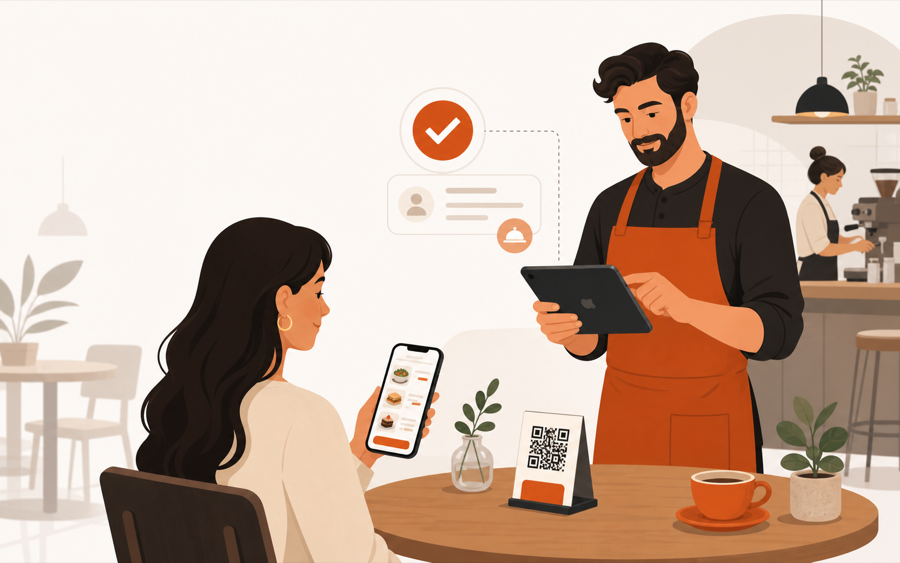
The cafe version of QR should feel light
A cafe QR menu should not feel like a complicated restaurant system.
Guests should scan, read, choose, and move on. Staff should still understand which table needs attention. The counter or kitchen should not receive confusing work that nobody reviewed.
That balance matters because cafes are small, fast, and personal. A QR menu can save time, but only if it supports the staff instead of replacing the service feeling.
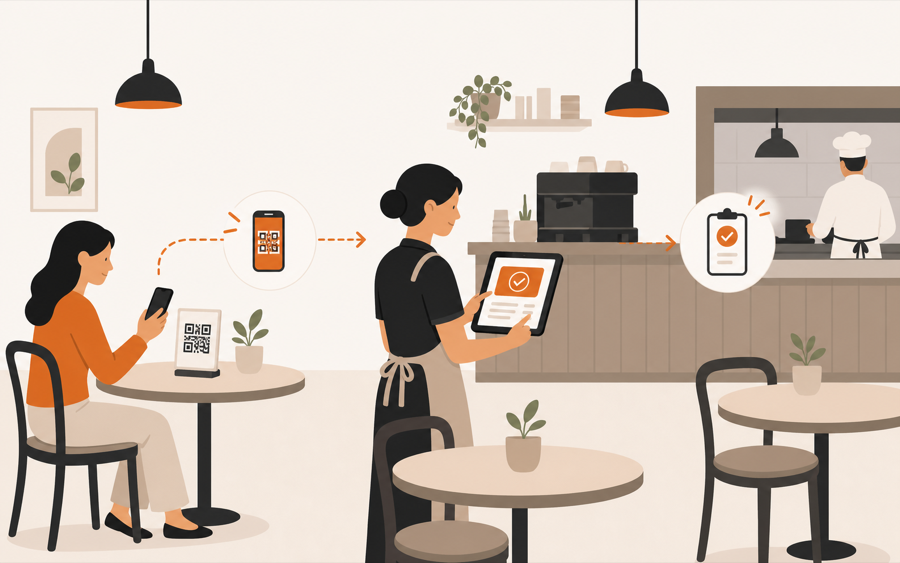
When a cafe QR menu is enough
A simple QR menu can work well when guests only need to read the menu.
This fits cafes where:
- staff still takes most orders at the table or counter
- the menu changes often enough to make printing annoying
- guests ask for photos, ingredients, or seasonal details
- paper menus stay available as backup
- the main problem is menu access, not service workflow
In this setup, the QR code is a better menu link. It helps guests browse faster and helps the cafe keep the menu current.
When a cafe needs more than a menu link
A cafe needs more than a QR menu when guests are expected to take action from the table.
That action can be small:
- order another coffee
- ask for water
- request the bill
- send a note with a food order
- reorder from the same table
Once guests can act, table context matters. Staff should know where the request came from, what the guest asked for, and whether it should move forward.
That is the difference between a QR menu and a QR ordering workflow. If this is still unclear, read QR menu vs QR ordering system.
Keep paper as a friendly backup
Many cafes should keep a few printed menus.
That does not mean the QR menu failed. It means the cafe is being hospitable. Some guests do not want to scan. Some phones are low on battery. Some tables prefer to share one printed menu while they talk.
The practical setup is often:
| Cafe need | Good choice |
|---|---|
| Fast menu browsing | QR menu |
| Guest comfort | A few paper backups |
| Frequent menu changes | Live QR menu |
| Table ordering or service requests | QR ordering workflow |
| Staff control before prep | Staff approval |
For the paper decision, read QR menu vs paper menu.
What to show on a cafe QR menu
Cafe menus work best when they are easy to scan with the eyes.
Start with:
- coffee and drinks
- breakfast or brunch
- pastries and desserts
- popular combinations
- availability or sold-out state
- clear notes for allergens or ingredients
Avoid turning the first screen into a wall of text. Guests should understand the menu quickly, then open details only when needed.
Staff control keeps the cafe calm
The risky version of QR ordering sends every guest action straight into work.
That can create noise during a rush. A guest may tap the wrong item, add a confusing note, or send a request while staff is already at the table.
Staff review solves the awkward part. Guests still get speed, but the team keeps control before anything becomes counter or kitchen work.
This is why MenuSuite focuses on staff-approved QR ordering. Guests can act from the table, while staff keeps the final check before handoff.
Simple rollout checklist
Start small:
- Put QR codes on a few tables first.
- Keep paper menus nearby.
- Make the menu easy to read on a phone.
- Decide which actions guests can take from the table.
- Let staff review requests before they become work.
- Watch where guests hesitate and adjust the menu.
Do not start by forcing every guest into QR. Start by making the QR flow useful enough that guests choose it.
Where MenuSuite fits
MenuSuite fits cafes that want a QR menu to become part of service, not a cold replacement for staff.
Guests scan from the table, browse the live menu, request help, ask for the bill, or place an order. Staff still reviews the action before it becomes operational work.
If your cafe only needs a menu link, start with the basics in What is a QR menu?. If guests often ask for water, napkins, or help from the table, read Waiter call from QR code. If guests often wait to ask for the check, read Bill request from table QR. If guests often want to pay from the table, read Pay at the table with mobile payments.
If you run a busier drink-led venue, read QR menu for bars next.
Further reading
- Square explains restaurant menu setup in How to make a restaurant menu.
- For broader operator technology context, see the National Restaurant Association's Where operators plan to invest in tech.