
Step-by-step guide
Table QR codes and table context
A practical guide to why each restaurant table QR code should carry table context, not only open a generic menu link.
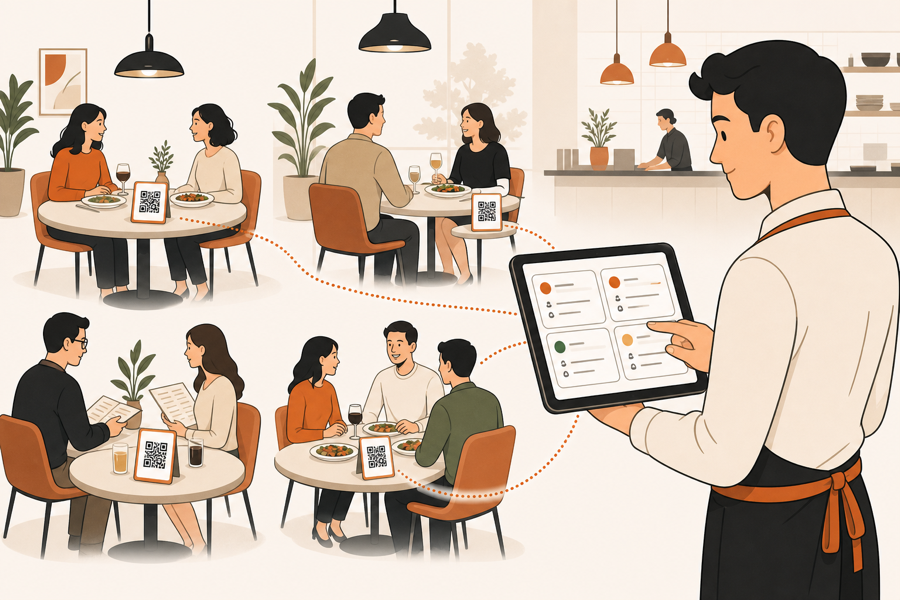
A QR code should know the table
A restaurant table QR code should do more than open the menu.
If every table uses the same generic QR link, the guest can browse, but the restaurant may not know where the request came from. That is fine for a read-only menu. It becomes weak when guests order, call a waiter, or ask for the bill.
Table context means the system knows which table started the action.
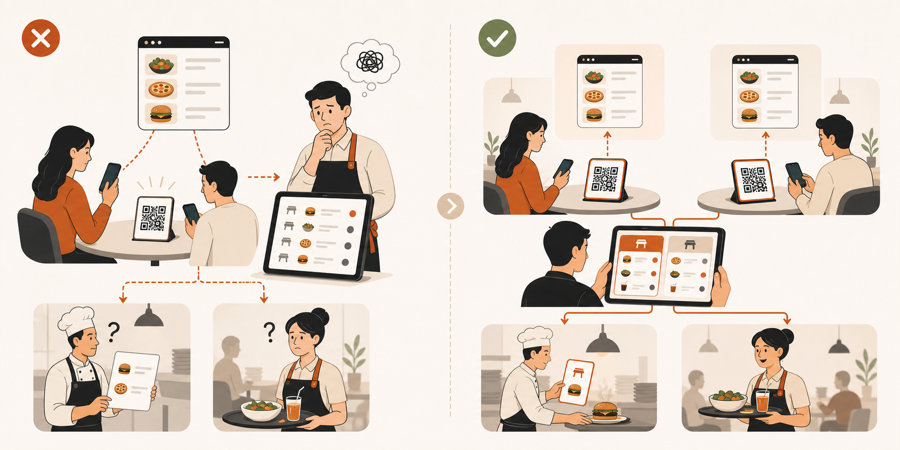
Why generic QR links break service
Generic QR links are easy to print. They are also limited.
They usually answer one question: "Can the guest open the menu?"
They do not always answer the questions staff needs during service:
- Which table sent this request?
- Is this guest seated inside, outside, or at the bar?
- Should this go to a waiter first?
- Is this request connected to an open bill?
- Should the kitchen see this now, or only after staff review?
When the QR flow has no table context, staff has to recover that context manually.
What table context should carry
Table context does not need to be complicated.
For a small restaurant, it usually means:
| Context | Why staff needs it |
|---|---|
| Table identity | Staff knows where to serve |
| Venue or branch | Multi-area teams avoid mixed requests |
| Current guest session | The same table visit stays connected |
| Service action type | Staff can separate orders, waiter calls, and bill requests |
| Staff review status | Kitchen does not receive raw table noise |
This context is what makes table ordering systems different from a simple menu page.
Where staff approval fits
Table context should not mean every tap goes straight to the kitchen.
A better flow is:
- guest scans the table QR
- system knows the table
- guest sends an order or service request
- staff reviews it with table context
- approved kitchen work moves forward
That middle review step matters. It keeps self-service useful without removing staff judgment. Read QR ordering with staff approval for the full approval flow.
Service requests need context too
Not every QR action is a food order.
Guests may want to:
- call a waiter
- ask for water
- request the bill
- add a note
- ask a question before ordering
Those small actions are only useful if staff can see the table. Without table context, a waiter call becomes a vague notification. With table context, it becomes an actionable floor task.
For these smaller actions, read Waiter call from QR code and Bill request from table QR.
What to check before printing table QR codes
Before printing QR codes for tables, ask:
- Does each table get its own QR context?
- Can staff regenerate or replace one table QR if needed?
- Does the guest flow show the right menu for that venue?
- Do orders, waiter calls, and bill requests keep the table attached?
- Can staff review table actions before kitchen handoff?
- Can old or broken table QR assets be retired?
Printing is the easy part. Keeping each printed code connected to live service is the part that matters.
Further reading
- Square explains table-specific QR code ordering and says guests enter their table number before submitting an order in Set up and manage QR code ordering.
- Toast describes ordering from the guest's own device and supports table-service QR ordering in Get Started With Toast Mobile Order & Pay.
- Lightspeed explains QR ordering from a guest device in Order Anywhere.
Where MenuSuite fits
MenuSuite treats a table QR code as the start of a table-aware service flow.
Guests scan from the table. Staff sees the table context. Orders, waiter calls, bill requests, and kitchen handoff stay connected instead of becoming separate channels.
If you are still comparing menu-only and table-aware flows, read QR menu vs QR ordering system.